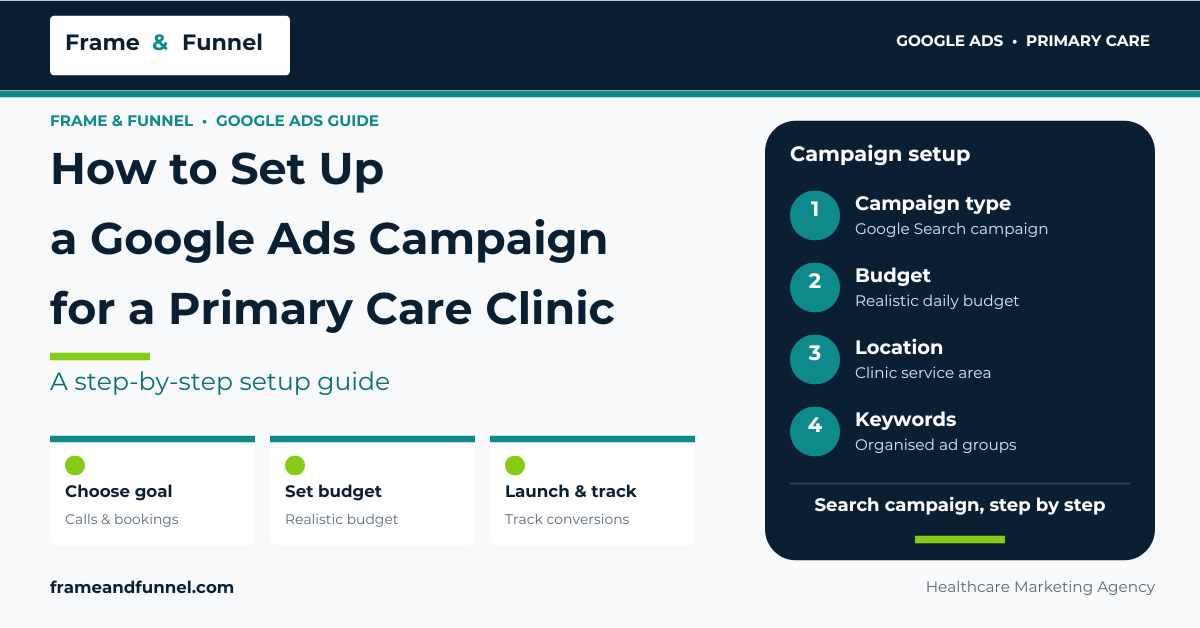
Setting up a Google Ads campaign for a primary care clinic starts with understanding what local patients are searching for and how they look for healthcare services. Choosing the right keywords, setting a realistic budget, targeting the clinic’s service area, and writing relevant ads can help a practice reach people looking for primary care.
A successful setup also needs a relevant landing page and reliable conversion tracking. These elements help the clinic understand whether its advertising generates useful inquiries and appointment requests, rather than just clicks.
This guide explains how to set up a Google Search campaign for a primary care clinic in the United States, from the initial account settings to launch and ongoing optimization.
Campaign setup is one part of a broader healthcare advertising strategy. Explore our complete guide to Google Ads for primary care clinics to understand the full approach to planning, managing, and optimizing campaigns.
What Do You Need Before Setting Up Google Ads?
Prepare the following information before creating a campaign:
- The clinic’s website and relevant service pages.
- The cities or areas the clinic serves.
- The services it wants to promote.
- Current appointment availability.
- Accepted insurance information, where applicable.
- A realistic advertising budget.
- A phone number and appointment request process.
- A clear way to measure qualified inquiries and bookings.
- Access to the clinic’s Google Ads account and relevant website tools.
Confirm that the clinic can handle additional inquiries before launching. Advertising for new patients is less useful if the practice has no appointment capacity or cannot respond to calls promptly.
Choose a Clear Campaign Goal
Decide what the campaign should achieve. Possible goals include qualified phone inquiries, appointment requests, or completed bookings.
Avoid treating every website visit as a successful outcome. A click does not prove that someone is interested in the clinic, and a form submission does not necessarily mean an appointment has been booked.
Define the conversion actions before configuring bidding and measurement.

Step 1: Choose the Right Google Ads Campaign Type
For a clinic that wants to reach people actively searching for a local doctor or medical service, a Google Search campaign is a sensible starting point to consider.
Search campaigns can show text ads when people search for relevant services on Google. This makes them suitable for testing searches such as “primary care doctor near me” or “family medicine clinic in [city].”
Other campaign types may serve different purposes, but a clinic does not need to use every available format at launch.
Start with the campaign type that matches the clinic’s immediate goal. A focused Search campaign is generally easier to evaluate when the priority is to attract relevant local inquiries.
How to Create a Search Campaign
The exact screen layout may change, but the general process is:
- Sign in to the clinic’s Google Ads account.
- Select the option to create a new campaign.
- Choose an appropriate goal or proceed with a campaign setup option that fits the account’s available choices.
- Select Search as the campaign type.
- Configure the campaign’s budget, bidding, location, and other settings.
- Create relevant ad groups.
- Add keywords and responsive search ads.
- Review the settings before publishing.
Google’s official Search campaign setup documentation explains the main campaign components.
Step 2: Set the Campaign Budget
The advertising budget determines how much the clinic is willing to spend on its campaign. The right amount depends on local keyword costs, the clinic’s growth goals, and the number of additional appointments it can accommodate.
Start with a budget that the practice can afford to test without putting pressure on its operating expenses.
Before selecting an amount, research local keyword estimates and consider:
- The number of relevant searches in the service area.
- The expected cost per click.
- The clinic’s available appointment capacity.
- The number of qualified inquiries it needs.
- Its ability to convert inquiries into appointments.
- The acquisition cost it can financially support.
Google Ads uses an average daily budget for most Search campaigns. The monthly spending limit is generally 30.4 times the average daily budget, although campaign-specific rules and exceptions can apply.
For example, an average daily budget of $40 corresponds to a typical monthly spending limit of $1,216.
This calculation does not guarantee that the campaign will spend the entire amount or generate a specific number of leads. Actual spending depends on campaign activity and Google’s applicable budget rules.
For a deeper breakdown of monthly budgets, cost per click, cost per lead, and patient acquisition expenses, read our guide to Google Ads costs for primary care clinics.
Step 3: Configure Location Targeting
Primary care clinics usually serve a defined geographic area. Location targeting helps focus advertising on the places where the practice can realistically accept patients.
Choose the Right Service Area
Depending on the clinic, you may target:
- The city where the practice is located.
- Nearby cities or communities.
- Relevant neighborhoods.
- A suitable radius around the clinic.
Do not select a large geographic area simply to increase impressions. Someone who lives too far away may be unlikely to visit the practice.
Google supports several geographic targeting options, including cities, areas within a country, and radius targeting where available. Its location signals are not perfectly precise, so performance should be reviewed after launch.
Read Google’s official location targeting guide.
Review the Location Options Carefully
When configuring location settings, check which users Google may consider eligible based on their location or interest in a location. The available options and defaults can change.
For a local clinic, make sure the selected setting fits the actual service area and campaign objective. Review geographic reports after launch to identify irrelevant traffic.
Do not assume that adding a city name to a keyword automatically restricts an ad to people physically located in that city. Keyword wording and campaign location settings serve different purposes.
Alongside Google Ads location targeting, an optimized local presence can help patients discover your practice in Google Search and Maps. Learn how to improve your Google Business Profile for primary care clinics.
Step 4: Research Keywords and Organize Ad Groups
Keywords connect a campaign with searches related to the clinic’s services. Research them before creating ads so the campaign is based on relevant search intent rather than guesswork.
Possible starting themes include:
- Primary care doctor near me.
- Primary care physician in [city].
- Family medicine clinic in [city].
- Primary care accepting new patients.
- Annual physical appointment in [city].
These are keyword ideas, not verified search-volume or cost estimates. Use Google Keyword Planner to research the clinic’s target area.
Organize Keywords by Intent
A simple structure for a single-location clinic could look like this:
| Ad group | Keyword theme | Landing page |
| Primary care | Local primary care doctor searches | Primary care page |
| Family medicine | Family medicine searches | Family medicine page |
| New patients | New-patient appointment searches | New-patient page |
| Annual physicals | Physical examination searches | Physical examination page |
Do not create a separate ad group for every small wording variation. Group related keywords when they can share relevant ads and a suitable landing page.
Add Negative Keywords
Negative keywords help exclude irrelevant searches. For example, a clinic seeking patients may not want to pay for clicks from people searching for medical jobs, salaries, or professional training.
Review actual search terms and add exclusions carefully. Do not automatically exclude terms such as “insurance,” “walk-in,” or “low cost” if they may be relevant to the clinic’s services.
For a deeper understanding of keyword research, match types, local keyword targeting, and negative keyword selection, read our detailed guide to Google Ads keywords for primary care clinics.
This keeps the present article focused on implementation rather than duplicating the full keyword research process.
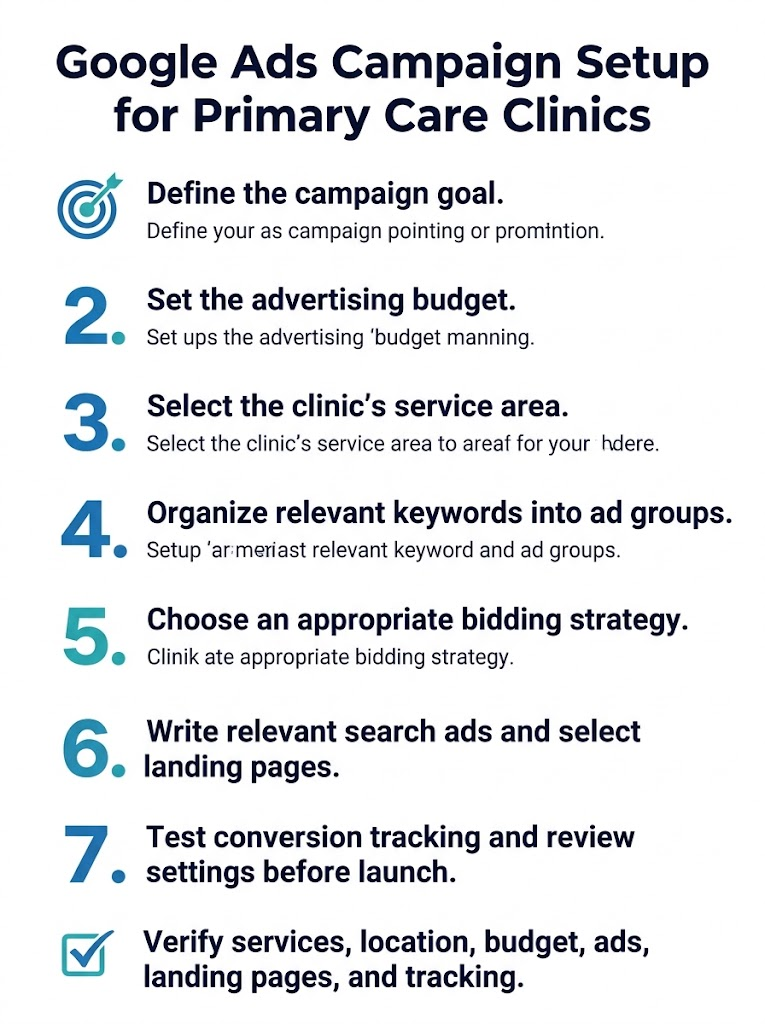
Step 5: Choose a Bidding Strategy
Google Ads offers different bidding strategies depending on the campaign setup and available features. The best choice depends on whether the clinic prioritizes clicks, leads, or another measurable outcome.
Maximize Clicks
Maximize Clicks is designed to obtain as many clicks as possible within the available budget.
It may be useful when the initial goal is to generate traffic and evaluate search demand. However, more clicks do not necessarily mean more qualified inquiries or appointments.
Monitor search terms, location relevance, and lead quality closely.
Maximize Conversions
Maximize Conversions aims to generate as many recorded conversions as possible within the budget.
This can be useful when conversion tracking is configured correctly and the selected conversion actions represent meaningful business outcomes.
If the account counts irrelevant form submissions or other low-value actions as conversions, the bidding system may optimize for the wrong results.
Target CPA
Target CPA allows an advertiser to set a target average cost per acquisition or conversion, depending on the conversion action being measured.
This strategy requires careful consideration of conversion definitions and available campaign data. Setting an unrealistic target may restrict delivery or prevent the campaign from achieving its goals.
A target CPA is not a guarantee that each lead or patient will cost that amount.
What Should a New Clinic Choose?
Do not choose a bidding strategy simply because it sounds more advanced.
First, decide what counts as a useful conversion and make sure it can be measured reliably. Then select a strategy that matches the campaign’s goal and the account’s available options.
If conversion tracking is not ready, complete and test it before relying on automated bidding to optimize for leads.
Google may change bidding options and campaign recommendations, so check the options available in the account before launch.
Step 6: Write Relevant Responsive Search Ads
Responsive search ads allow advertisers to provide multiple headlines and descriptions. Google can combine these assets into different ad variations.
Write ads that clearly explain what the clinic offers and give searchers a useful next step.
Example Headlines
A clinic could consider headlines such as:
- Primary Care in [City]
- Family Medicine Appointments
- Explore Our Primary Care Services
- New Patient Appointment Options
- Find Our Clinic Location
Use claims about new-patient availability only when they are accurate.
Example Description
“Looking for a primary care provider in [City]? Explore our services, office hours, accepted insurance plans, and appointment options.”
This example is intended to be adapted to the clinic’s real services and policies.
Make the Ad Match the Landing Page
If an ad mentions family medicine, the destination should provide relevant family medicine information. If it mentions new-patient appointments, the page should explain how to request one.
Avoid unsupported claims such as guaranteed health outcomes, unverified superiority, or promises the clinic cannot fulfill.
Google recommends creating relevant, informative responsive search ads and using appropriate ad assets. See its responsive search ads best practices.
Add Relevant Ad Assets
Where available and appropriate, consider:
- Location assets: Help people find the clinic’s location.
- Call assets: Provide a way to call the practice.
- Sitelinks: Link to useful pages, such as services, providers, office hours, or appointment information.
- Business name and logo: Use accurate brand assets where eligible.
Check the final URLs and phone number before publishing. Do not direct every ad to the homepage if a more relevant service page exists.
Step 7: Create a Relevant Landing Page
The landing page is where visitors go after clicking an ad. It should make the next step clear and provide information that matches the advertisement.
A primary care landing page should include:
- A clear description of the service.
- The clinic’s address and office hours.
- Accurate insurance and payment information, where applicable.
- Information about new-patient availability.
- A visible phone number or appointment request option.
- Clear instructions about what happens after a request is submitted.
Test the page on a mobile device. Check that forms work, buttons are visible, and contact information is correct.
A form submission should not automatically be treated as a confirmed appointment. Show a confirmation message that accurately explains whether the booking is complete or awaits a response from the clinic.
For a more detailed look at page structure, appointment forms, mobile usability, and conversion-focused design, read our guide to building a Google Ads landing page for a primary care clinic.
Step 8: Set Up Conversion Tracking and Review Privacy
Conversion tracking helps the clinic measure what happens after someone clicks an ad.
Depending on the website and booking system, possible actions include:
- Completed appointment request forms.
- Calls that meet the clinic’s defined criteria.
- Confirmed online bookings.
- Qualified inquiries.
- Completed new-patient visits, where reliable and appropriate measurement is available.
Define conversions carefully. Avoid counting duplicate actions as separate acquisitions.
Accurate measurement is essential for understanding which campaigns generate valuable inquiries and appointments. Learn how to track Google Ads leads, calls, and appointments for medical practices.
Protect Patient Information
Healthcare advertising requires additional care when configuring analytics and tracking.
Google restricts certain personalized advertising practices involving sensitive health categories. Clinics should not assume that remarketing, patient-list uploads, or audiences based on health information are permitted.
Review Google’s Health in Personalized Advertising policy.
HIPAA obligations may also apply to website tags, analytics, call tracking, and appointment systems when covered entities or their business associates are involved. The US Department of Health and Human Services provides guidance on online tracking technologies.
Before implementing tracking, have the clinic’s privacy officer or qualified legal adviser review the setup. Do not send protected health information through advertising URLs, analytics events, or conversion imports without an appropriate legal and privacy review.
For more details on advertising restrictions, sensitive health categories, and patient privacy considerations, read our guide to Google Ads healthcare policies and patient privacy.
Step 9: Review Campaign Settings Before Launch
Before enabling the campaign, check each important setting.
| Setting | What to verify |
| Campaign type | Search campaign matches the clinic’s goal |
| Budget | Daily budget reflects the approved spending plan |
| Locations | Target areas match the actual service area |
| Keywords | Keywords match the clinic’s services |
| Negative keywords | Obvious irrelevant searches are excluded |
| Bidding | Strategy matches the campaign goal and tracking setup |
| Ads | Claims, phone numbers, and business details are accurate |
| Landing pages | Final URLs work and match the ad message |
| Conversion tracking | Intended actions record correctly |
| Privacy | Tracking and audience settings have been reviewed |
| Schedule | Ads run when appropriate for the clinic’s response process |
Also review any network, language, or other targeting settings shown during setup. Do not assume that the default settings are appropriate for every clinic.
Step 10: Launch and Monitor the Campaign
Once the campaign passes its checks, publish it and monitor its early performance.
During the First Few Days
Check that the campaign is eligible to serve, ads are approved, landing pages work, and conversions record as expected.
Do not make major decisions from a handful of clicks. Small amounts of early data can be misleading.
During the First Few Weeks
Review:
- Search terms and irrelevant traffic.
- Geographic performance.
- Click costs and budget delivery.
- Qualified inquiries and appointment requests.
- Landing page behavior.
- Missed calls and delayed responses.
- Conversion tracking errors.
Add negative keywords when appropriate, improve ads and landing pages, and investigate tracking problems before changing several campaign settings at once.
Before Increasing the Budget
Confirm that the campaign generates relevant inquiries, that measurement is reliable, and that the clinic can accommodate more patients.
A campaign that generates many clicks but few qualified inquiries may need improvements before additional spending is justified.
Common Google Ads Setup Mistakes to Avoid
Targeting Too Large an Area
A broad geographic target may attract clicks from people the clinic cannot reasonably serve. Use a realistic service area and review geographic performance.
Using One Ad Group for Every Service
Mixing unrelated services can make ad copy and landing pages less relevant. Group related keywords by service and intent.
Choosing Bidding Before Defining Conversions
Automated bidding depends on the conversion actions configured in the account. If those actions do not represent useful outcomes, the campaign may optimize for the wrong goal.
Sending All Traffic to the Homepage
Use relevant landing pages when available. Visitors should be able to find the service and appointment information promised in the ad.
Ignoring Privacy Requirements
Review applicable Google policies and healthcare privacy obligations before implementing tracking or personalized advertising.
Increasing Spend Too Quickly
Make changes based on campaign data, not assumptions. Ensure the clinic has the capacity and processes to handle additional inquiries before raising the budget.
If your campaign is receiving clicks but failing to generate qualified patient inquiries, explore our guide on why Google Ads are not generating patients for primary care clinics to identify common problems and optimization opportunities.
Frequently Asked Questions
How do I set up Google Ads for a primary care clinic?
Create a Search campaign, define the goal and budget, configure location targeting, organize relevant keywords into ad groups, write responsive search ads, choose appropriate landing pages, and test conversion tracking before launch.
What campaign type is best for a primary care clinic?
A Search campaign is a reasonable starting point when the goal is to reach people actively searching for local primary care services. Other campaign types may be appropriate for different goals.
How much should a primary care clinic spend on Google Ads?
The budget depends on local search demand, keyword costs, competition, appointment capacity, and the clinic’s acquisition goals. Research the target area and start with a budget the practice can afford to test.
Should a new clinic use Maximize Clicks or Maximize Conversions?
The choice depends on the campaign goal and measurement setup. Maximize Clicks focuses on clicks, while Maximize Conversions aims to generate recorded conversions. Define meaningful conversion actions before relying on automated bidding.
How long does it take to see results?
Ads may start receiving impressions and clicks after approval, but meaningful performance evaluation takes longer. The timeline depends on search demand, budget, competition, conversion volume, and appointment handling. No specific timeline guarantees profitability.
How often should a clinic review its campaign?
Check campaign eligibility and tracking soon after launch, then review search terms, lead quality, costs, and appointment outcomes regularly. The appropriate review frequency depends on traffic volume and campaign activity.
Final Thoughts
Setting up Google Ads for a primary care clinic requires more than choosing keywords and publishing ads. The campaign needs an appropriate budget, accurate location targeting, relevant ad groups, suitable bidding, useful landing pages, and reliable conversion tracking.
Start with a focused Search campaign, test every important setting, and measure qualified inquiries rather than clicks alone. Use actual performance data to guide improvements and budget decisions.
If your clinic needs help planning or reviewing a campaign, a Google Ads campaign audit can identify setup issues, improve measurement, and highlight opportunities to make advertising more effective.
Leave a Reply